Per-role tailoring
Each CV is rebuilt around the specific job description you paste in — not a one-size-fits-all template.
The illustrated guide
A walkthrough of the whole app, area by area — real screenshots from a live account, so you know exactly what you get before you sign up.
01
AI reshapes your real experience for the exact job — and you approve every word.
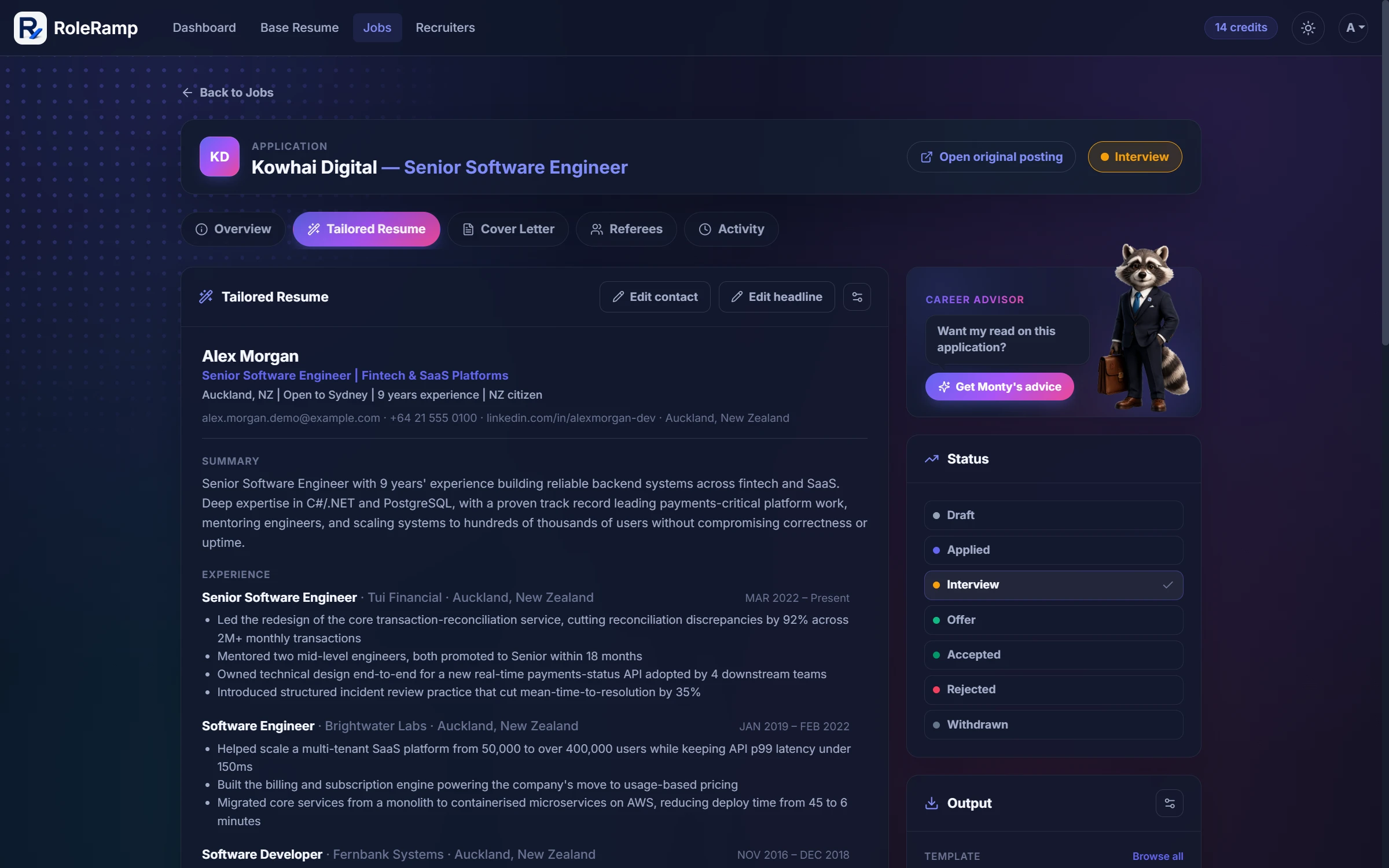
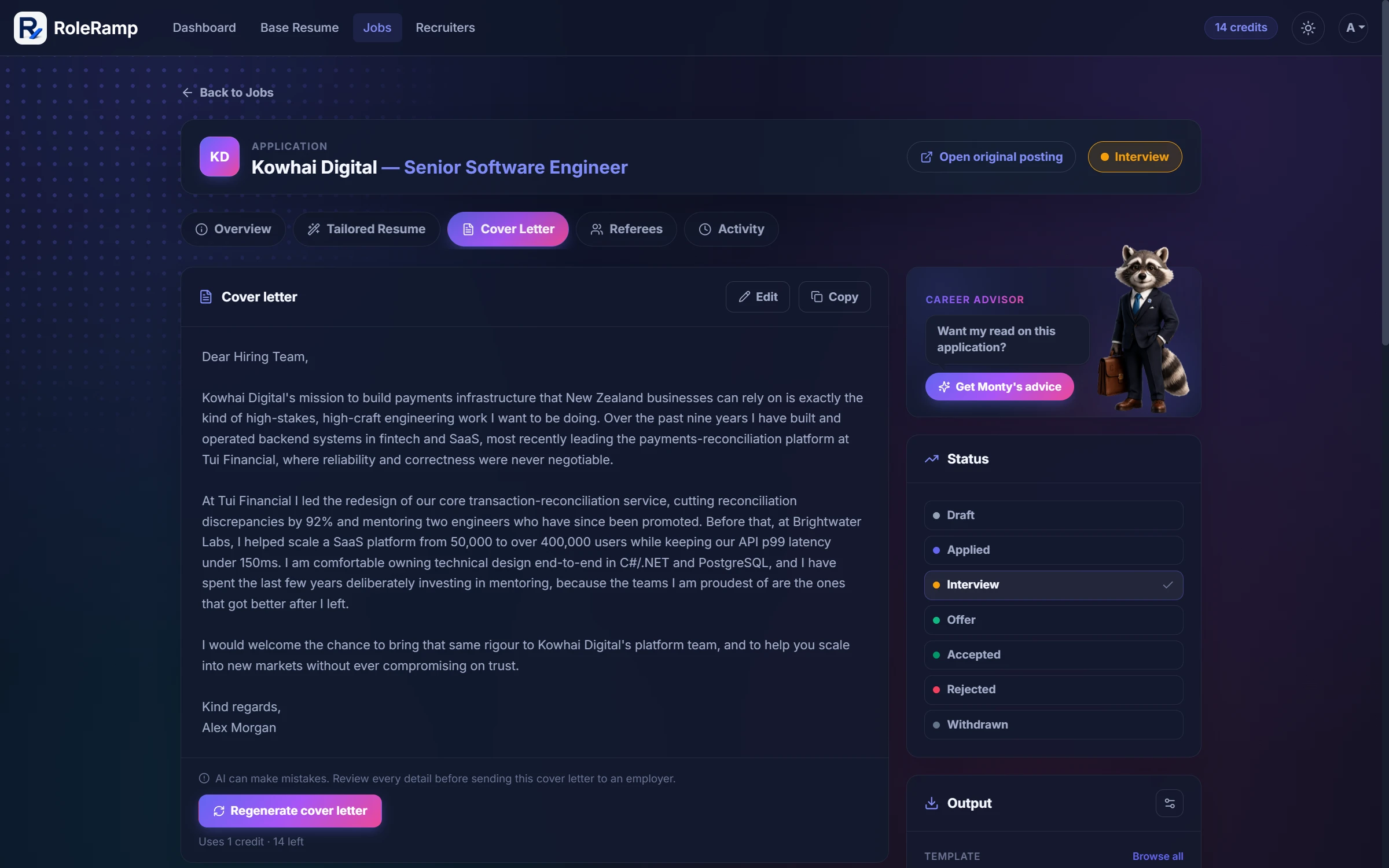
Each CV is rebuilt around the specific job description you paste in — not a one-size-fits-all template.
RoleRamp only re-expresses the experience you provide. It never adds jobs, dates, titles, or metrics you didn't enter.
Clearer, sharper wording that still reads like you wrote it — not like a chatbot.
Generate a cover letter for the same role, drawing on the same real experience so both documents stay consistent.
Tell RoleRamp what to change — shorter, more leadership focus, stronger verbs — and regenerate the CV or cover letter.
Fine-tune the tailored CV section by section yourself. Manual edits don't use AI or credits.
Produce the tailored CV and cover letter in English, Spanish, German, or French, chosen per application.
02
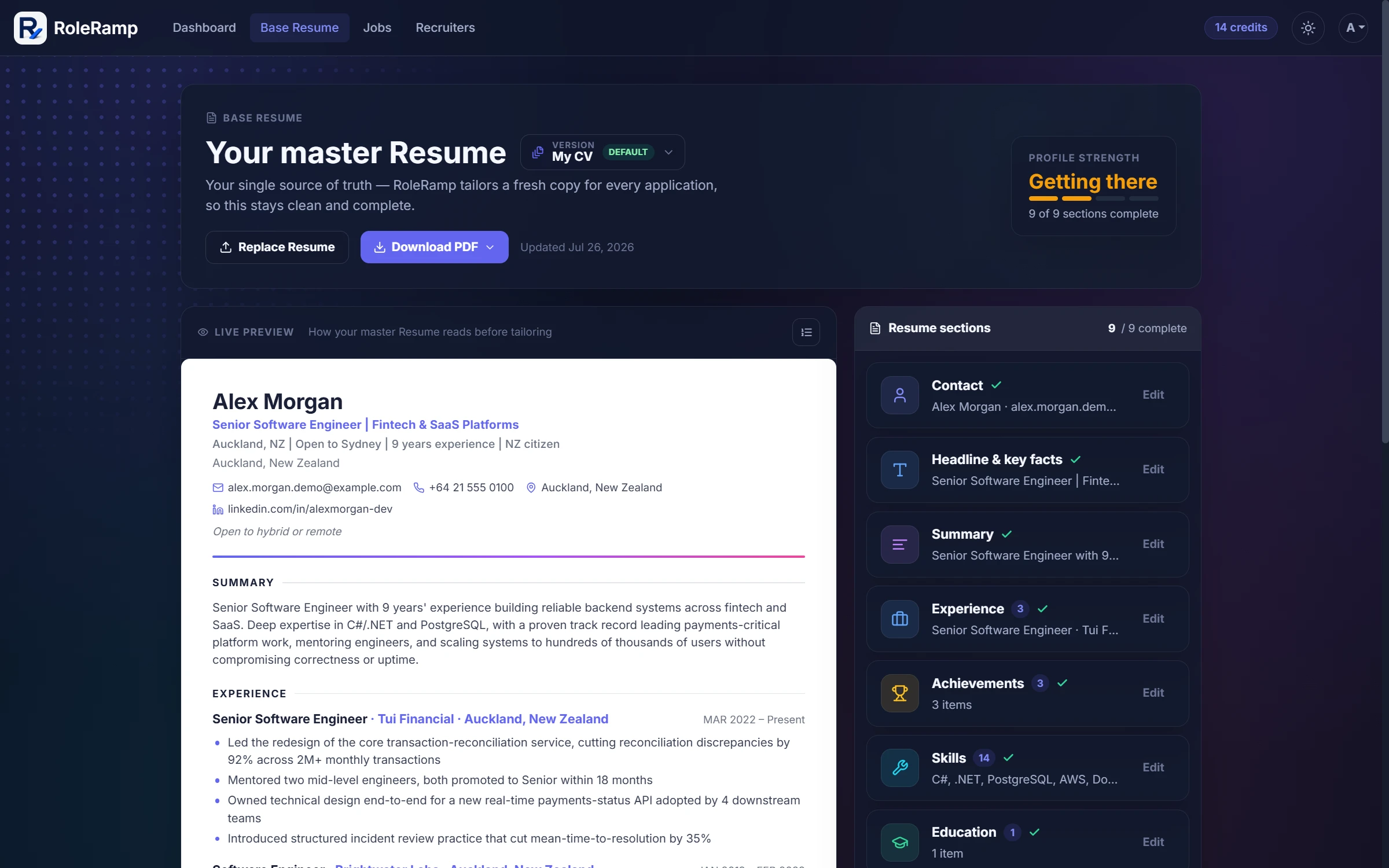
Keep a single, structured source of truth — RoleRamp tailors a fresh copy for every role.
Drop in a PDF or DOCX and RoleRamp extracts it into clean, editable sections automatically.
No file? Paste your CV text and RoleRamp structures it the same way.
Contact, summary, experience, achievements, skills, education, certifications, projects, and languages.
Keep separate named versions of your master CV, for example one per country or specialty, and choose the default used for tailoring.
RoleRamp spots skills and achievements your experience already shows but your CV does not list yet, and you choose what to add.
See how complete your CV is and what to add next to get the best tailored results.
Watch your master CV render as you edit, before you tailor it to anything.
Export the master CV itself as a polished PDF in any template, free, before you tailor it to anything.
03
Score any role against your CV and see exactly what matches and what's missing.
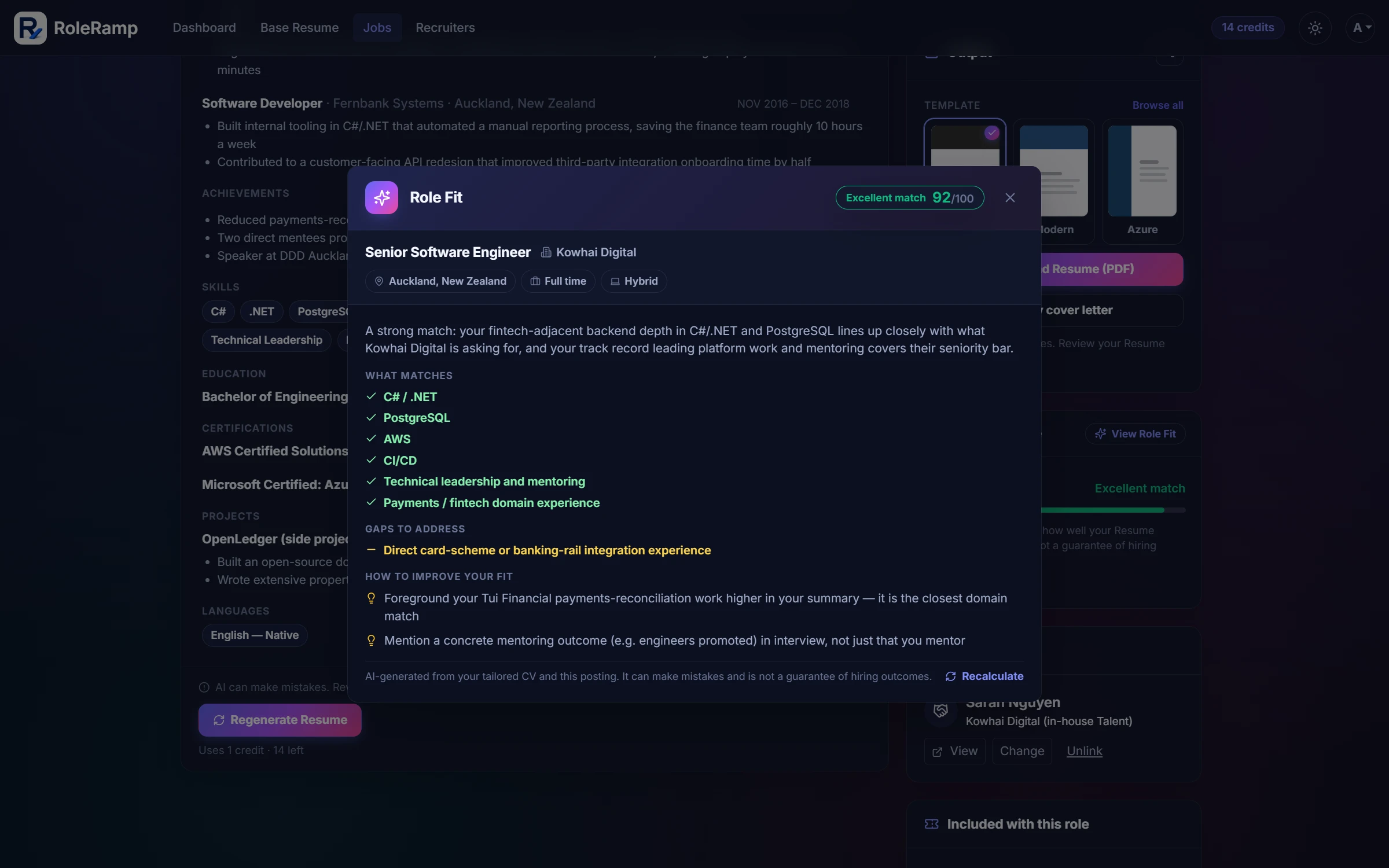
An at-a-glance estimate of how well your CV lines up with a specific job, from poor to excellent.
A breakdown of matched skills, gaps to address, and concrete suggestions to improve your fit.
Paste a CV and a job description on the website for an instant keyword match — no sign-up, runs in your browser.
04
Choose a design, control the layout, and export a clean PDF that software and people can read.
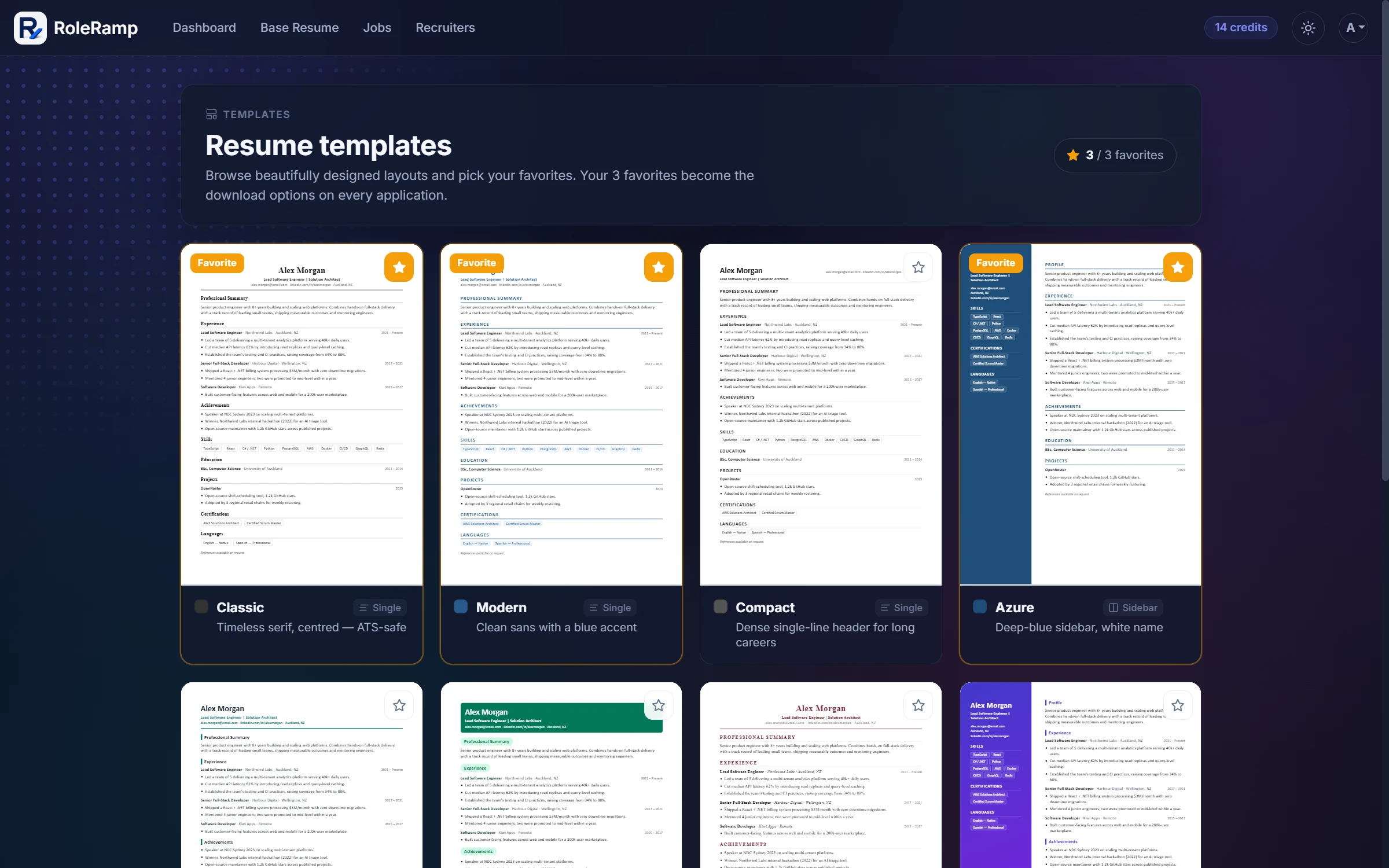
Browse a range of professionally designed CV layouts, including sidebar and single-column styles.
Save your favourite templates and they become the one-click download options on every application.
Export a clean, single-flow PDF with standard sections that applicant tracking systems parse reliably.
Toggle which sections appear and reorder them — per application, or as a default for all of them.
Hide your phone number or address on downloaded CVs, globally or for a single application.
Re-export your tailored CV as often as you like — re-downloads never cost a credit.
05
Saved jobs and live applications side by side — filter, search, and always know what's next.
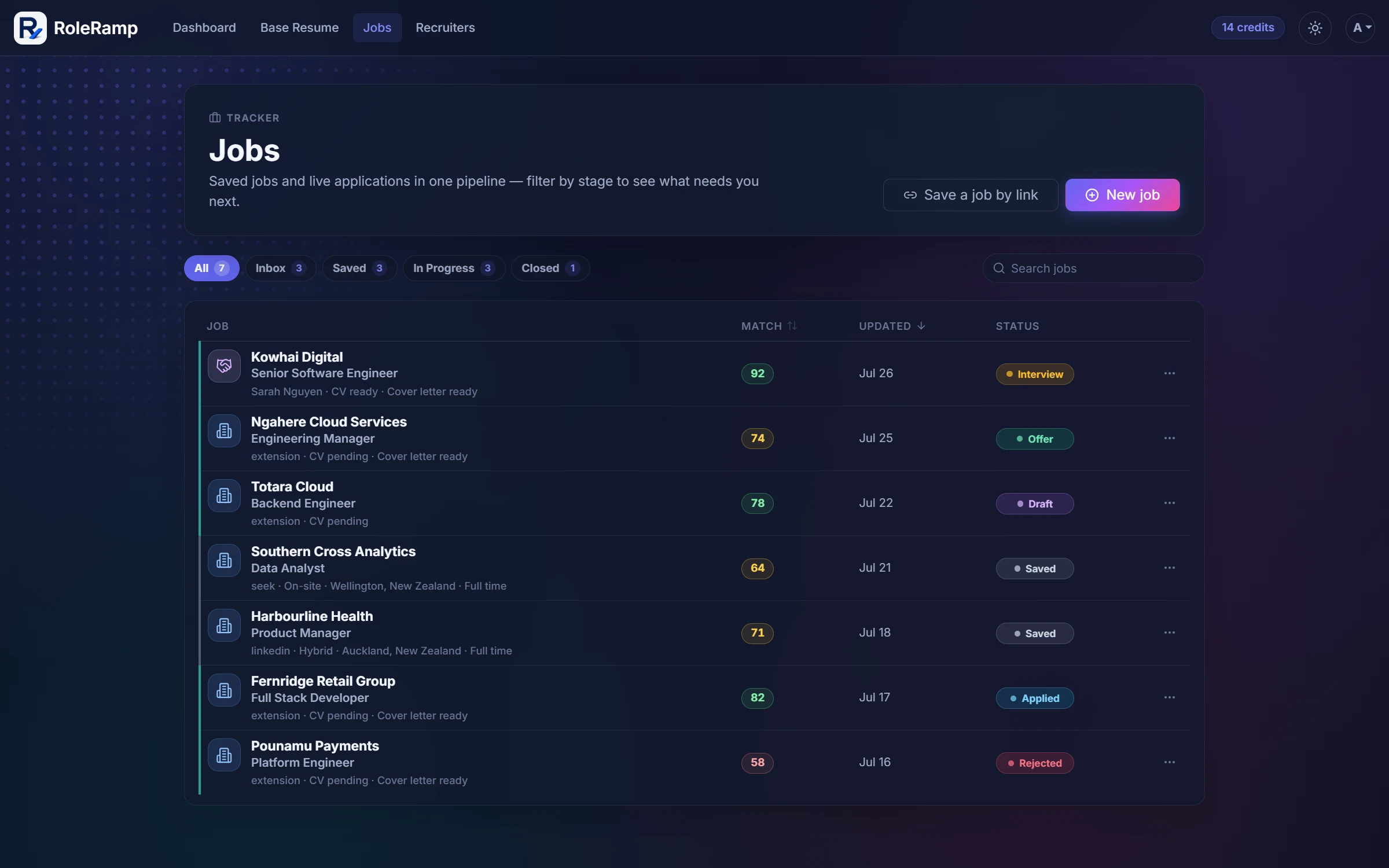
Saved jobs and active applications share a single pipeline, so nothing slips through the cracks.
Move each role through Saved, Draft, Applied, Interview, Offer, Rejected, and Withdrawn.
Find any role by keyword, filter by stage, and sort by most recent or best match.
RoleRamp pulls seniority, location, work arrangement, salary, required skills, and more from each posting.
Log recruiter calls, interview feedback, and follow-ups against each application.
RoleRamp warns you before you apply to the same company twice.
06
Capture a posting from any site in one click, then turn it into a tailored application.
Want the full picture? The extension has its own illustrated guide.
See the extension guideClick the RoleRamp extension on any posting — LinkedIn, Seek, Indeed, or a company careers page — to save it.
The extension reads the page and RoleRamp structures the company, role, and requirements for you.
It uses your existing signed-in RoleRamp session. Sign out and its access stops instantly.
Open a saved job and begin a tailored CV and cover letter for it in one click.
Share a posting from any app on your phone through the Android share sheet or an iOS Shortcut and it lands straight in your tracker.
07
Forward job-alert emails to your private RoleRamp address and triage clean, structured postings.
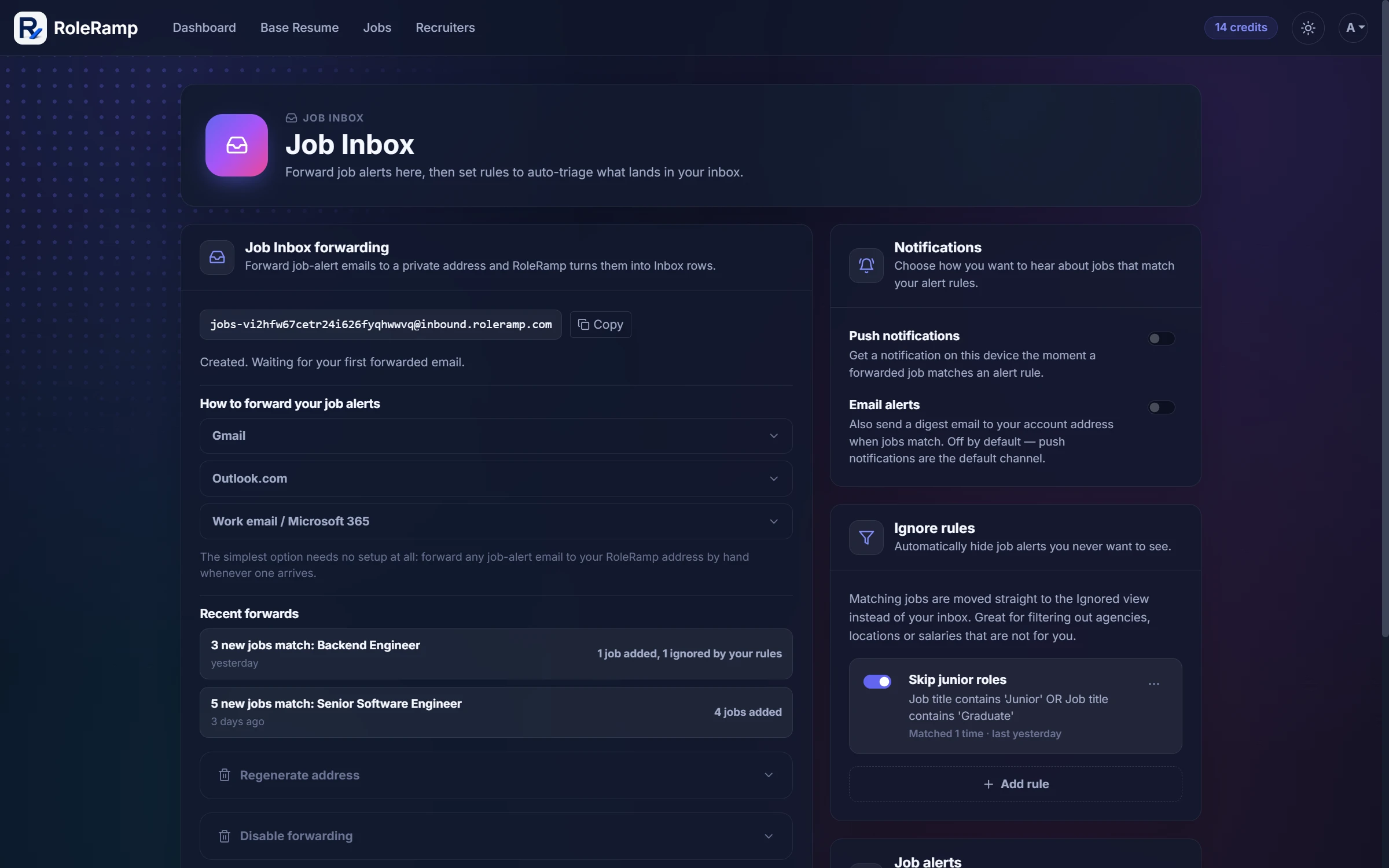
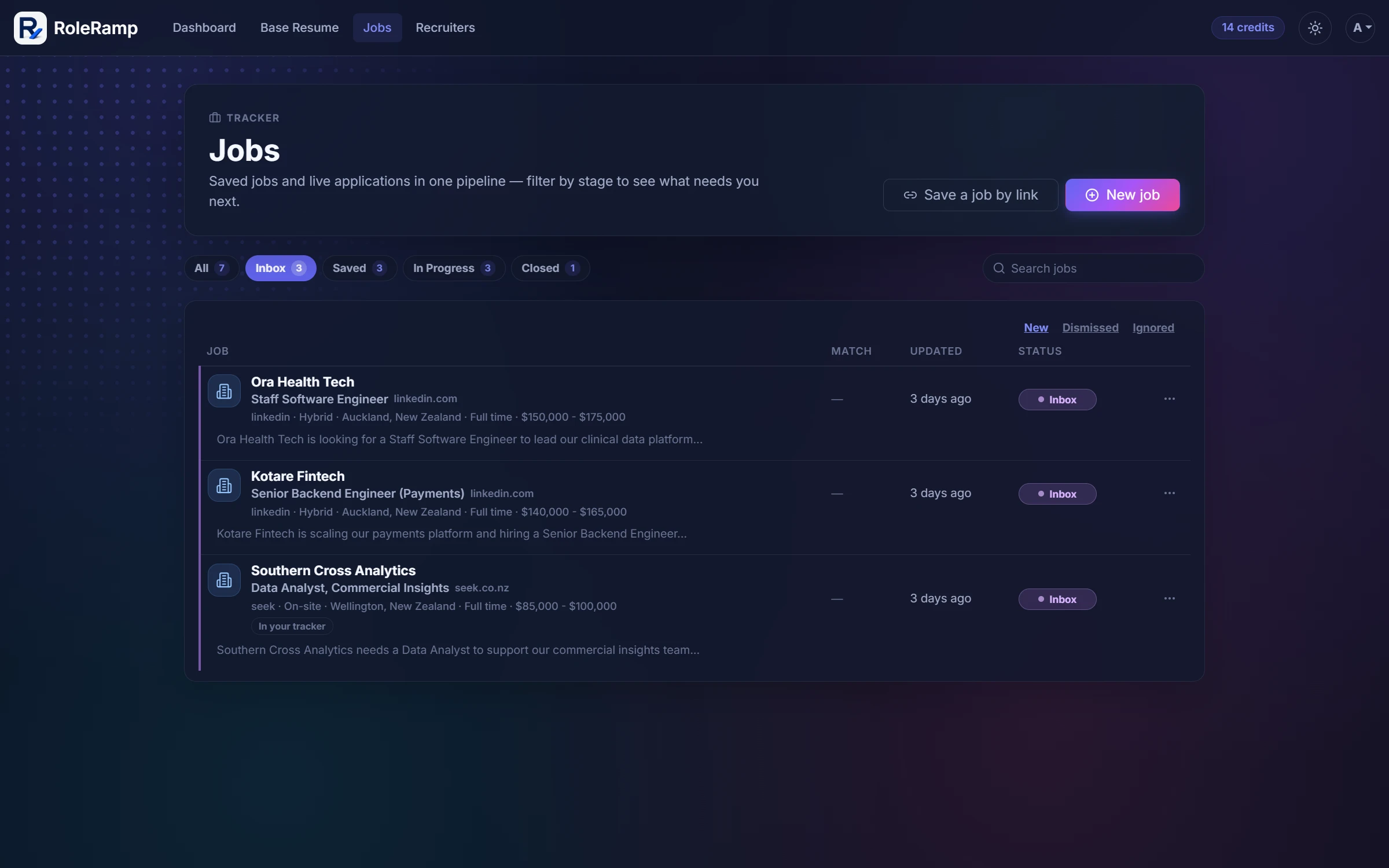
Every account gets a private forwarding address. Send LinkedIn, Seek, or Indeed alert emails to it and the roles inside appear in your inbox.
Each forwarded email is unpacked into structured postings with company, role, and requirements, ready to review.
Keep, dismiss, or restore postings, and save the promising ones into your tracker with one click.
Set rules that triage incoming postings automatically, so only relevant roles wait for your attention.
08
Every recruiter and agency you deal with, with history, follow-ups, and insights, visible only to you.
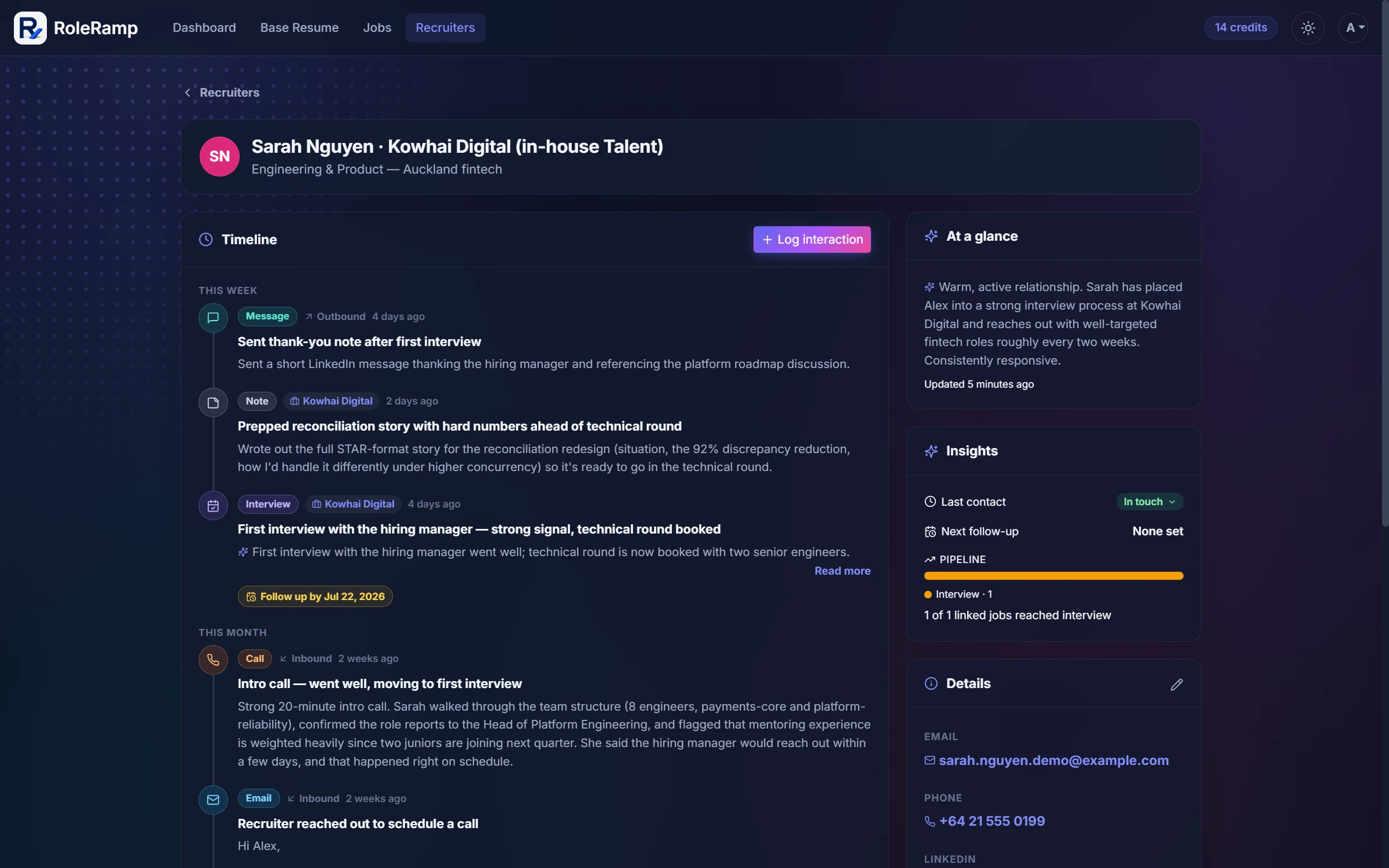
Recruiter and agency contacts are collected from the jobs you save, so your address book grows as you apply.
Log emails, calls, messages, interviews, and assessments per recruiter, tag the related job, and set follow-up reminders.
See interaction counts, last contact, next follow-up, and linked jobs and companies for every recruiter at a glance.
Get a generated summary of where things stand with a recruiter, built from your logged interactions.
09
Record, transcribe, and get coaching on real conversations, and draft replies in your voice.
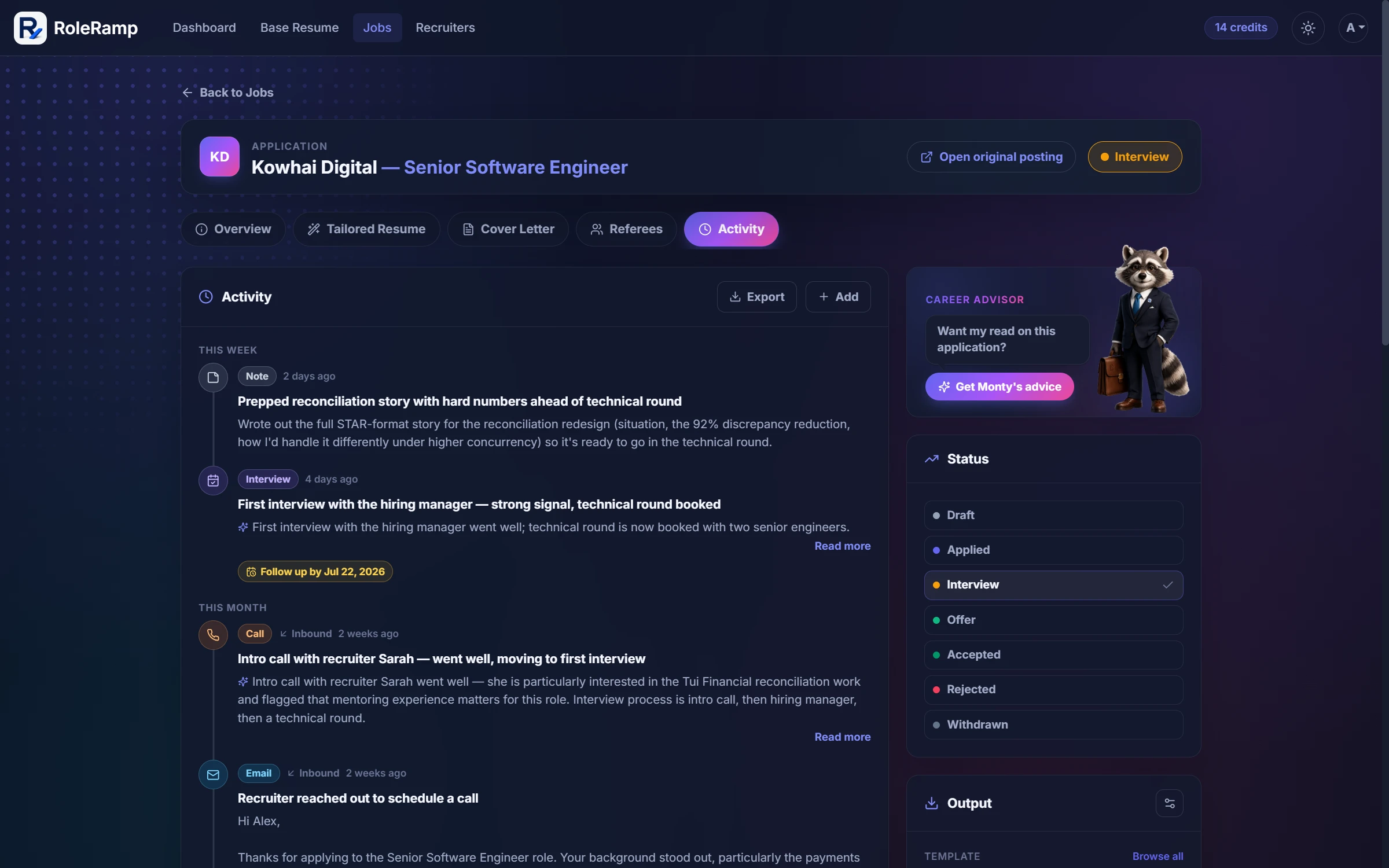
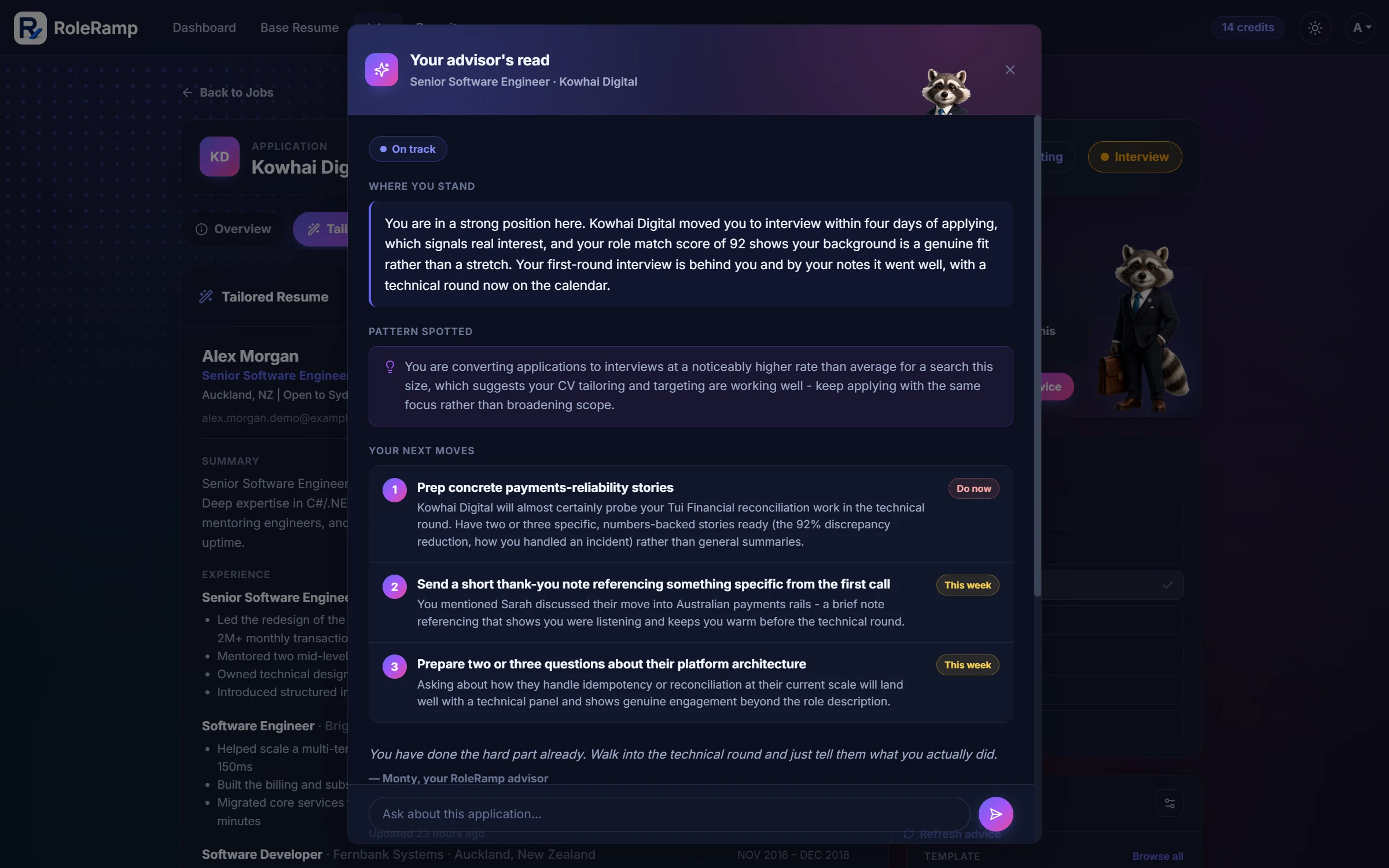
Upload a recruiter or interview call recording to any application or recruiter and play it back right on the timeline.
Recordings are transcribed automatically, so you can skim what was said and search it later.
Get honest feedback on a recorded call: what went well, what to improve, and how to follow up.
Draft a reply to an inbound recruiter email, then refine it shorter or more detailed before you copy it out. Nothing sends automatically.
10
Keep the people who vouch for you in one place and reuse them across applications.
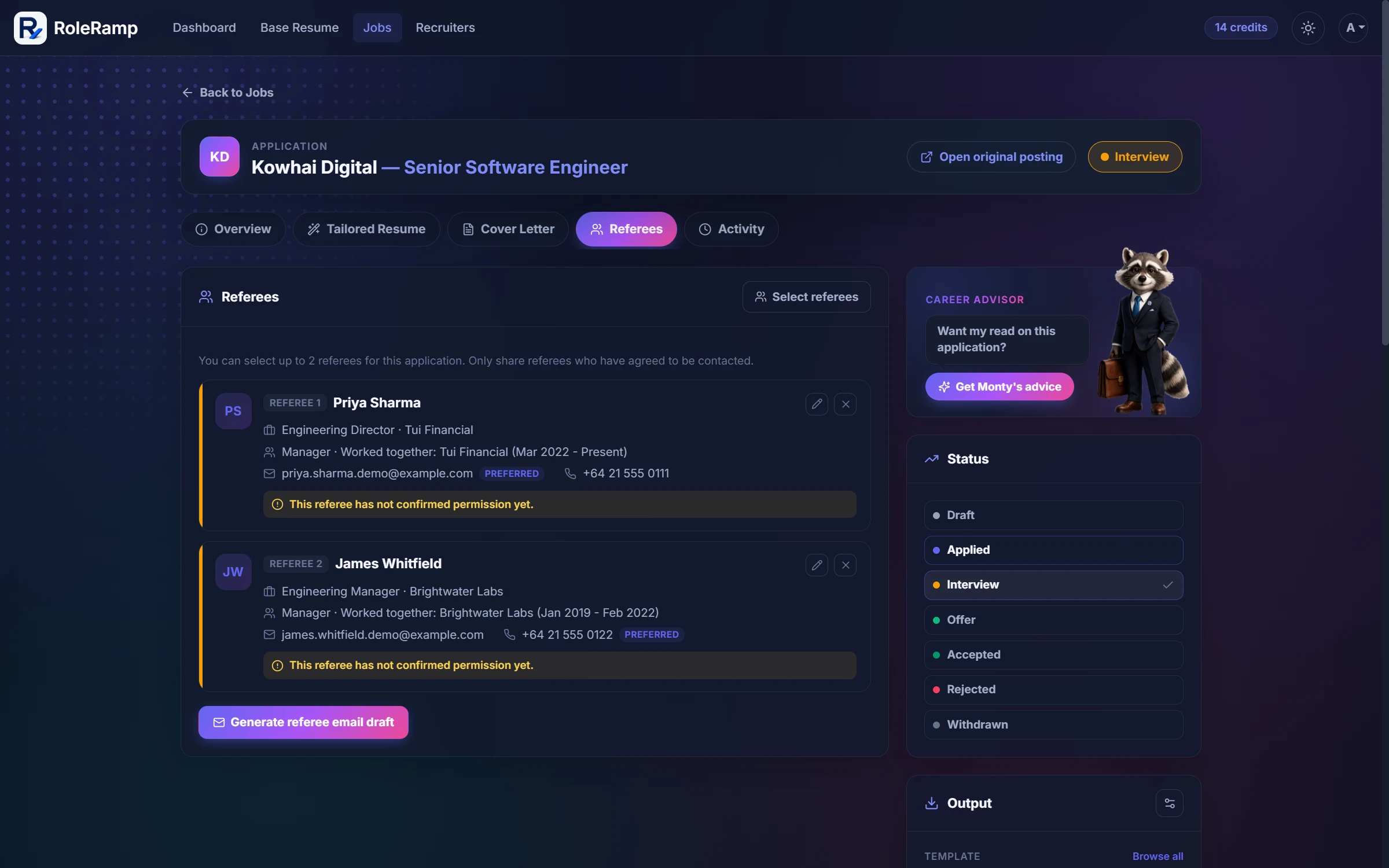
Referee details are stored encrypted and are only ever visible to you.
Save trusted referees once and attach up to two to any application.
Record relationship, how and where you worked together, preferred contact method, and permission status.
Generate a ready-to-send referee email — you copy and send it yourself, nothing goes out automatically.
11
You stay in control of your data and every word the AI produces.
Contact and referee details are never sent to the AI.
You review everything before it's used, and an honest disclaimer reminds you to check every detail.
RoleRamp is built to never invent experience, metrics, or qualifications.
Nothing is exported or sent automatically — the final CV and cover letter are always yours to approve.
12
Connect your AI assistant to RoleRamp over the Model Context Protocol and run your job hunt by chat.
Link ChatGPT, Claude, or any assistant that speaks the Model Context Protocol to your RoleRamp account.
Your assistant can manage saved jobs, applications, tailored CVs and cover letters, your base CV and its versions, the job inbox, recruiters, and referees.
Ask it to score a role match, open an application, or generate and refine a tailored CV and cover letter, using the same credits as the website.
You approve access on a RoleRamp consent screen, no password is shared, and you can revoke a connection any time in Settings under Connected AI apps.
A connected assistant can never buy credits, change your account details, invent experience, or send anything to an employer.
13
A fast, focused workspace that works on every device and in your language.
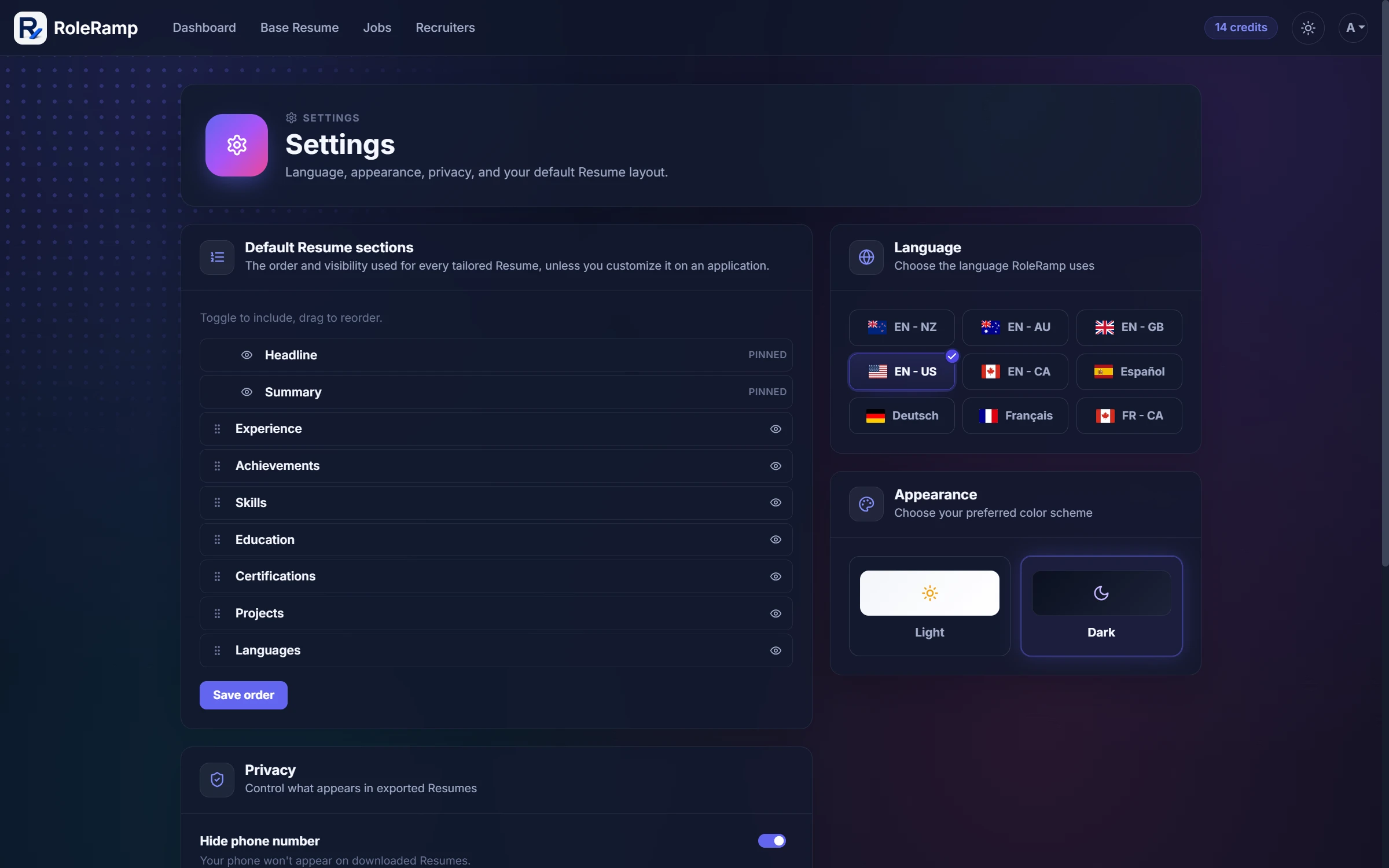
Use RoleRamp in English, Spanish, German, or French.
Switch between light and dark to suit your environment.
A responsive mobile layout you can install to your home screen like an app.
A short setup tailors RoleRamp to your situation, target role, seniority, and writing style.
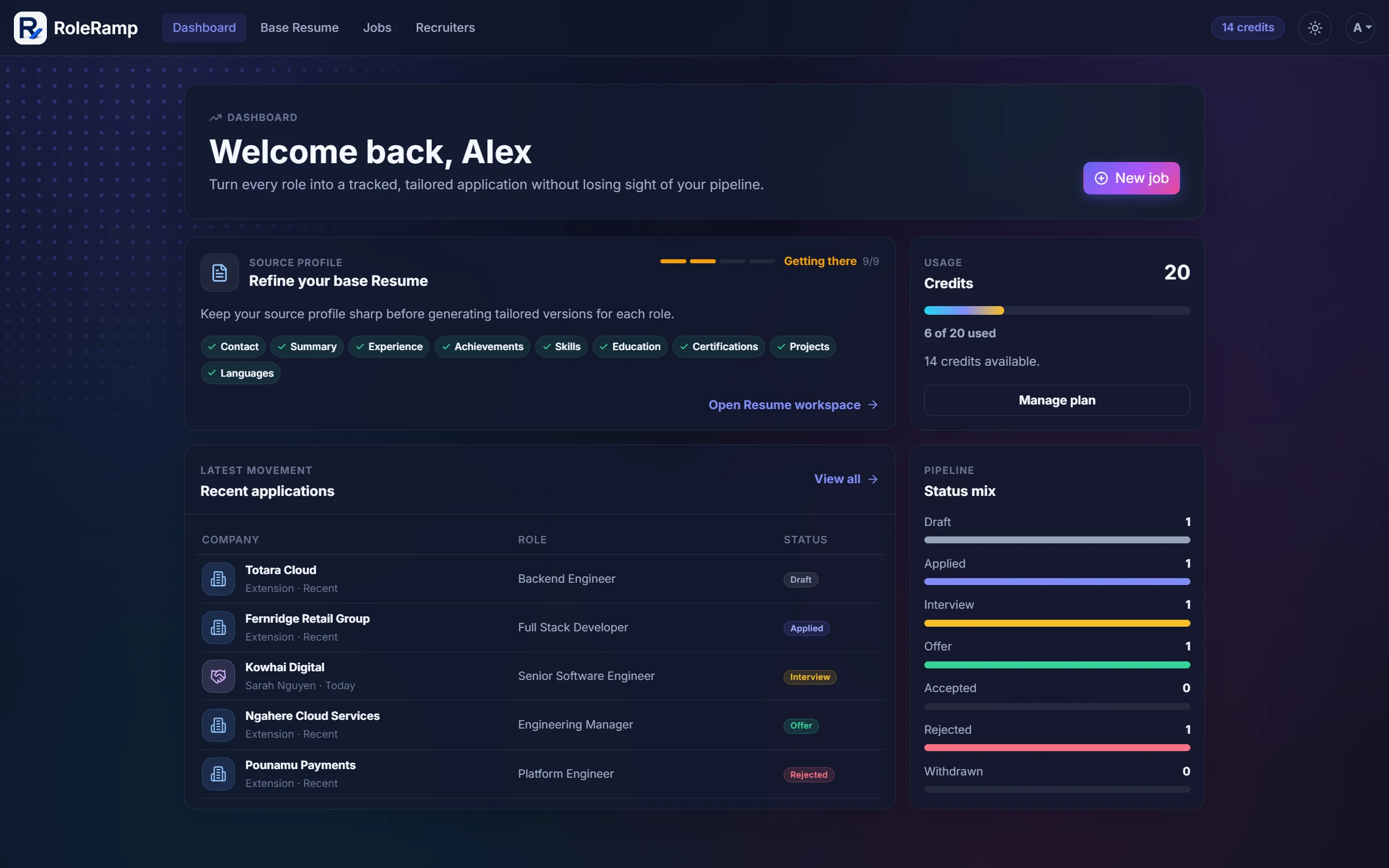
See your pipeline, status mix, recent activity, and credit balance at a glance.
14
Pay by the role, never by the month.
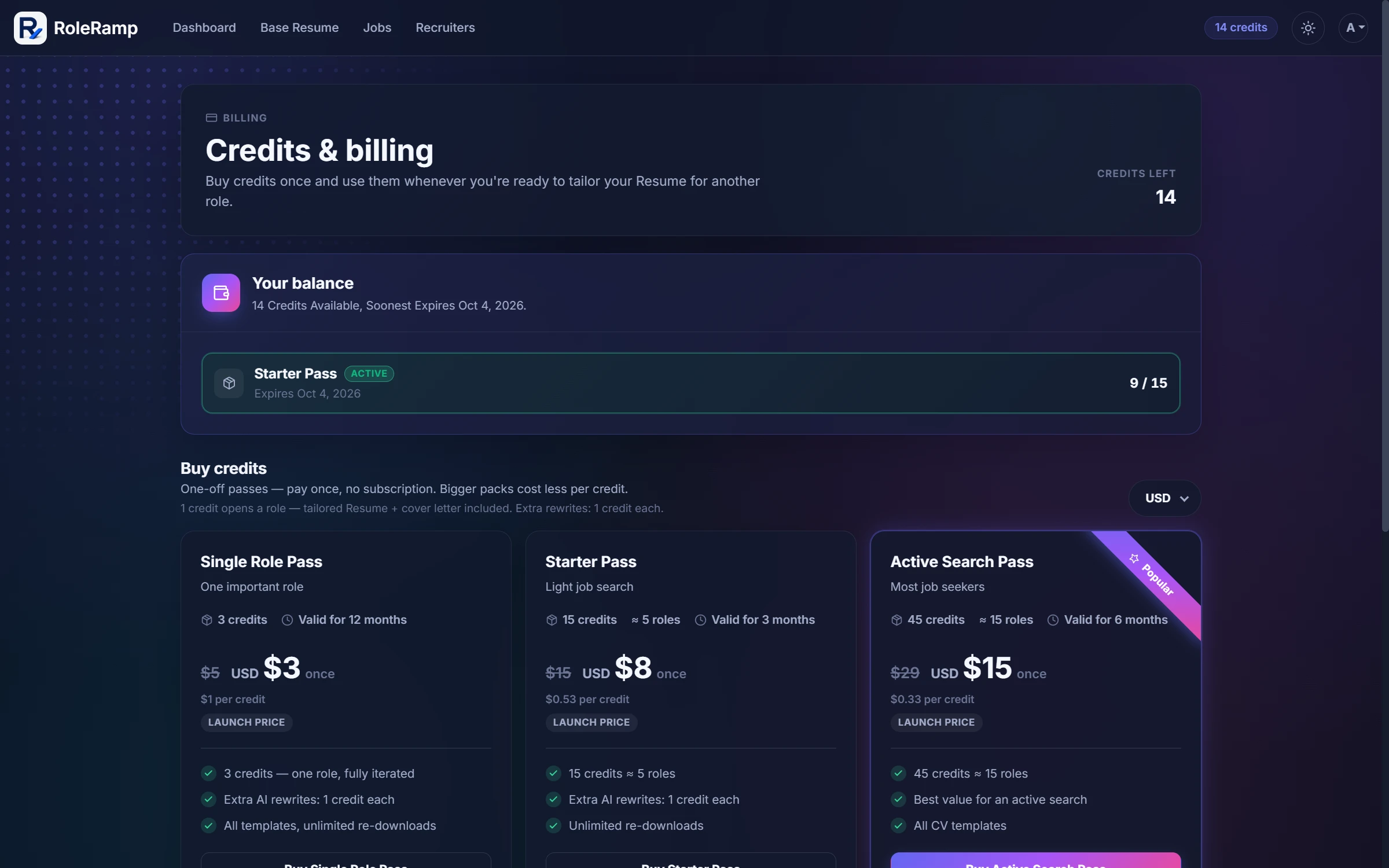
Every account includes 5 free credits — enough for one fully-iterated application, no card required.
Opening a role costs 1 credit — tailored CV and cover letter included. Buy one-off credit packs whenever you need them; no subscription, and bigger packs cost less per credit.
Manual edits, previews, and re-downloads are always free — credits only cover AI work: opening a role or extra rewrites.
Build your CV and preview your first tailored draft before you pay anything.
Start free